Text becomes speech in seconds. There are free voices, a huge ElevenLabs library and a clone of your own voice.
Checked against the interface: ·
In short
Ready voices are free; library voices and some engines are paid — the ⚡ price per 1000 characters is shown up front.
You may clone only your own voice or one with the owner’s consent, 18+.
1How to voice a text
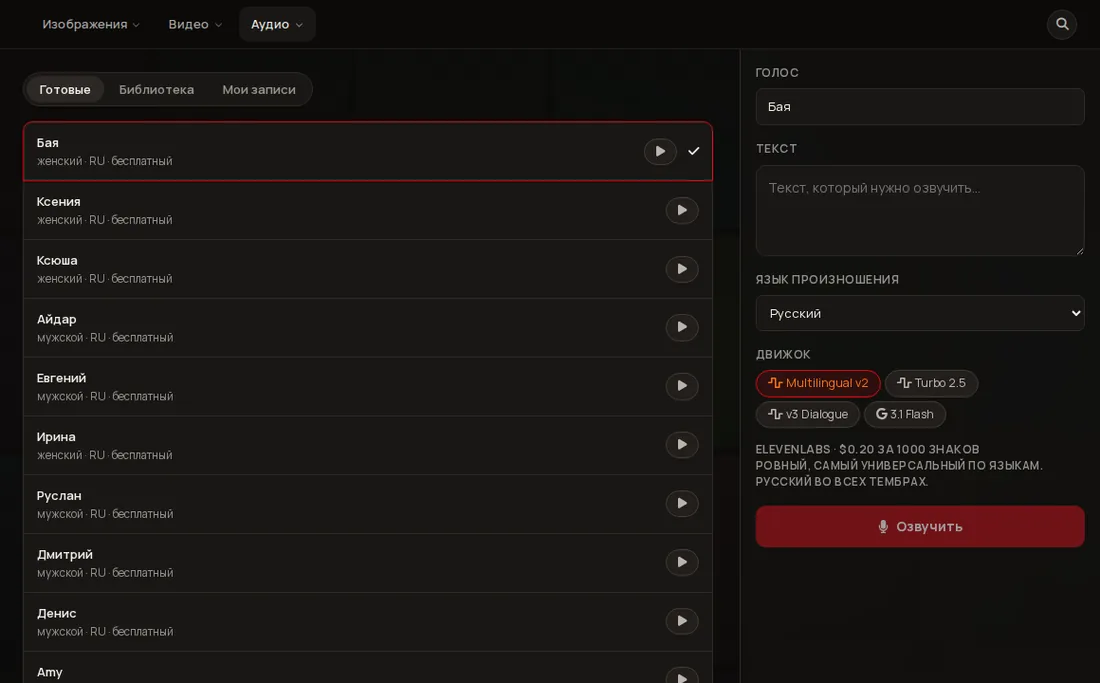
Voiceover: voices on the left, text and engine on the right.
Open Audio → Voiceover
Hover Audio at the top and choose Voiceover.
Choose a voice
The Ready-made tab: a list of voices tagged like “female · RU · free”. Press ▶ to listen and the row to choose — the name appears on the right in the “Voice” field.
Paste text and pick the language
The “Text” field and “Pronunciation language”. A minute of speech is about 700–900 characters.
Choose an engine
The “Engine” switch — Multilingual v2 (even, universal), Turbo 2.5, v3 Dialogue (several voices, emotions) and 3.1 Flash. The selected one shows its price per 1000 characters.
Press Voice over
Play the finished track, Download it or send it To video — the voiceover is placed into the video create bar. Every recording is kept in the My recordings tab.
2What it costs
Free ready voices — 0⚡.
ElevenLabs Multilingual v2 — $0.20 per 1000 characters, about ⚡8; Turbo 2.5 — $0.10, about ⚡4. The minimum is 1⚡ for any non-empty text.
Other engines and library voices have their own prices — shown in the list and under the engine switch.
Figures checked against the Studio code on 14.10.2026; your screen always shows the current price.
3The ElevenLabs voice library
The Library tab holds tens of thousands of voices. Choosing one takes a single press.
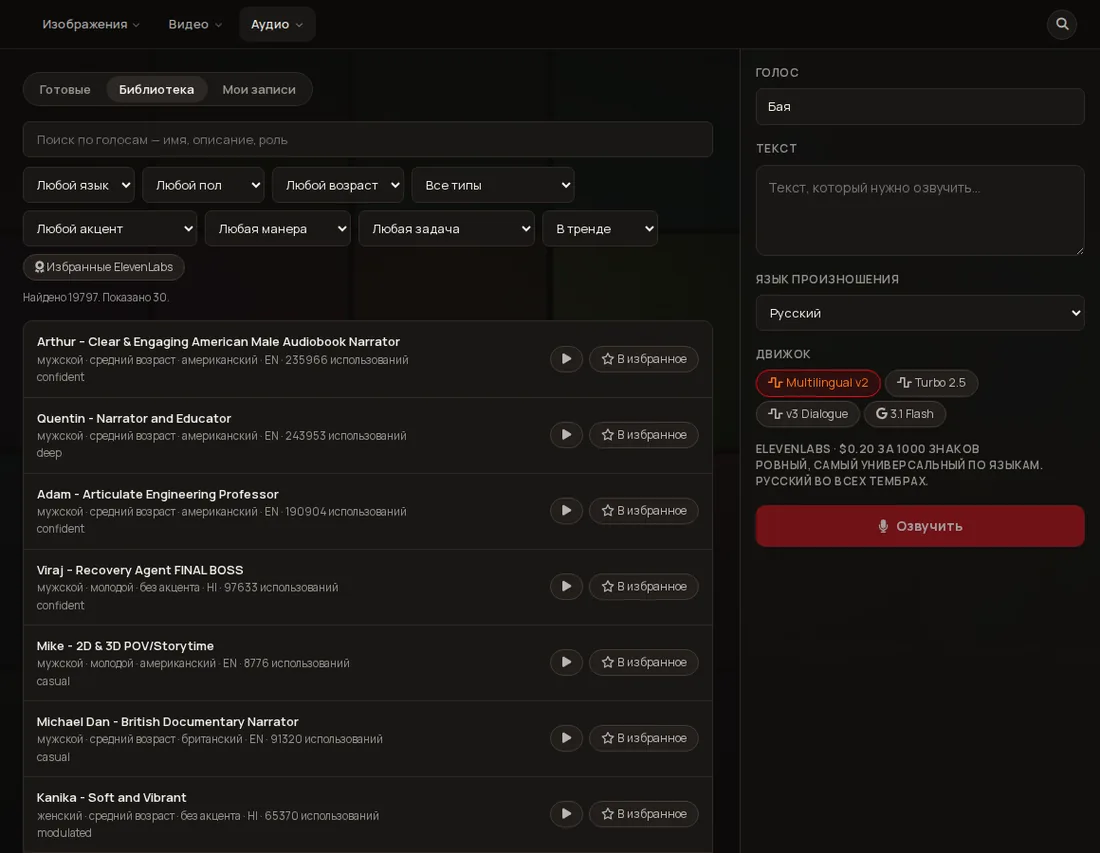
Library: search and filters, each voice has ▶ and “Add to favorites”.
Find
Search by name, description or role plus filters: language, gender, age, type, accent, manner, task (ads, social, narration…) and sorting. “ElevenLabs favorites” shows curated voices.
Listen
▶ on a row plays a short sample. There is one player per screen so samples do not overlap.
Press “Add to favorites”
The voice is saved to your list and chosen at once — you can voice right away. It stays in your set of voices, including for storyboards.
4How to put the voiceover into a video
After voicing press To video: the track goes into the create bar. If the chosen video model can lip-sync to a ready track (avatars, Wan and others), the character speaks your text.
In the My recordings tab each recording has “Hand to a video model” — the same for older recordings.
In a storyboard the voice is chosen per frame — see the Storyboards page.
Length:if the speech is longer than the clip the Studio warns you (“Voiceover ≈ N s, video M s”). Shorten the text or pick a longer clip.
5Voice clone — only with rights
A clone is built from 1–10 samples of your recording (quiet room, natural speech). It is an instant clone, not days of training.
Available on the Ultra plan.
Before creating you confirm “Rights to the voice · 18+”: “I am 18 or older. This is my voice or I have its owner’s consent”. Cloning someone’s voice without consent is not allowed.
Where to create: at the time of checking (14.10.2026) the web Studio has no clone-creation screen; clones are created in the Gibrid mobile apps. A finished clone then appears in voice lists as “my voice” (for example in a storyboard). If you do not see it, it is not yet available in your version.
6Music
Next to voiceover there is Music (“your own track or a match for the scene”): Audio menu → Music. Parameters and prices are shown on screen before launch.
?FAQ
Why is the voice always the same?
The voice is remembered between runs. Check the “Voice” field on the right before voicing. In a storyboard a frame may be set to “As in common settings” — then the shared voice is used; set the frame voice separately.
Russian sounds accented
Pick voices tagged RU or set “Pronunciation language: Russian”; Multilingual v2 handles Russian in all timbres.