Where things live: three tabs on top, a menu on the left, the create bar at the bottom and the ⚡ price.
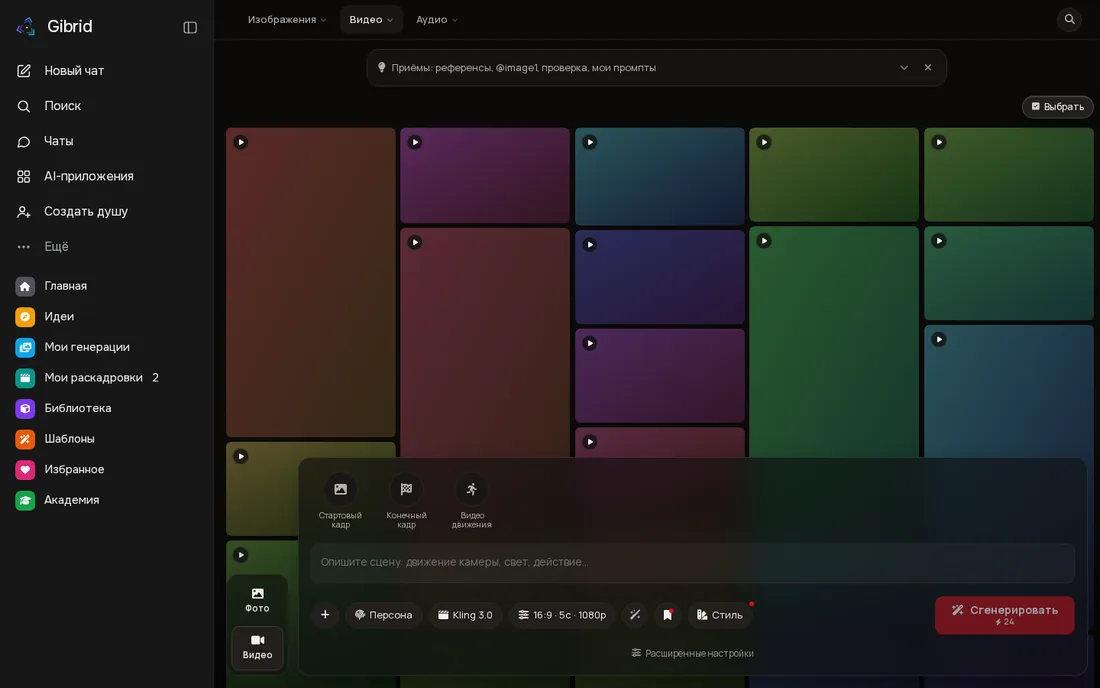
| Where | What it is |
|---|---|
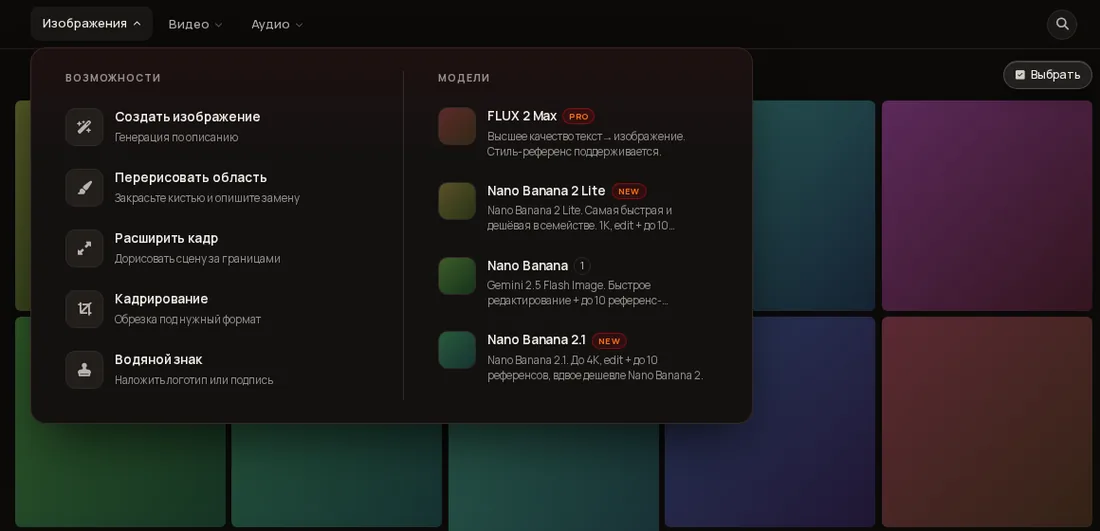
| Tab Images | Create an image; repaint an area with a brush; extend a frame; crop; watermark. |
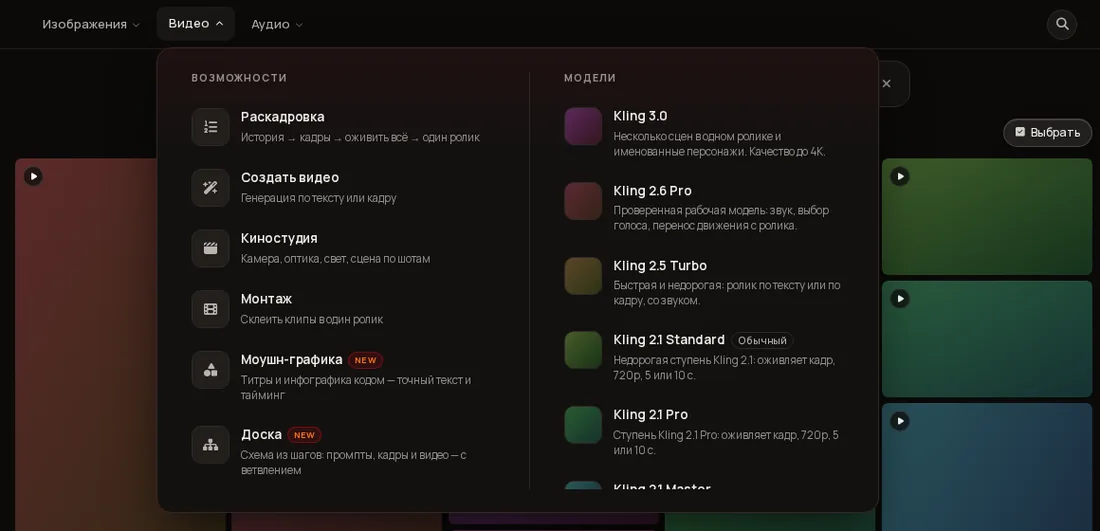
| Tab Video | Storyboard, Create video, Cinema Studio (camera, optics, light), Editing (joining clips), Motion graphics (titles and infographics), Board (a step-by-step canvas). |
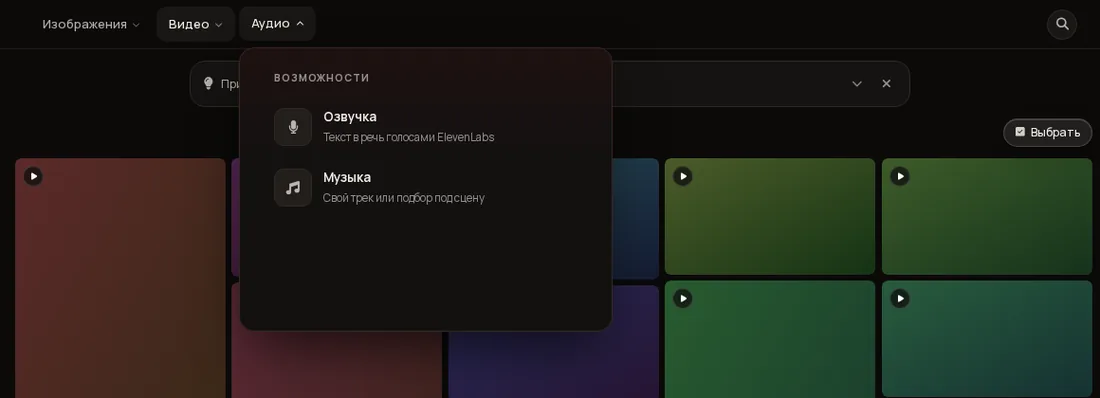
| Tab Audio | Voiceover (text to speech) and Music (your own track or a match for the scene). |
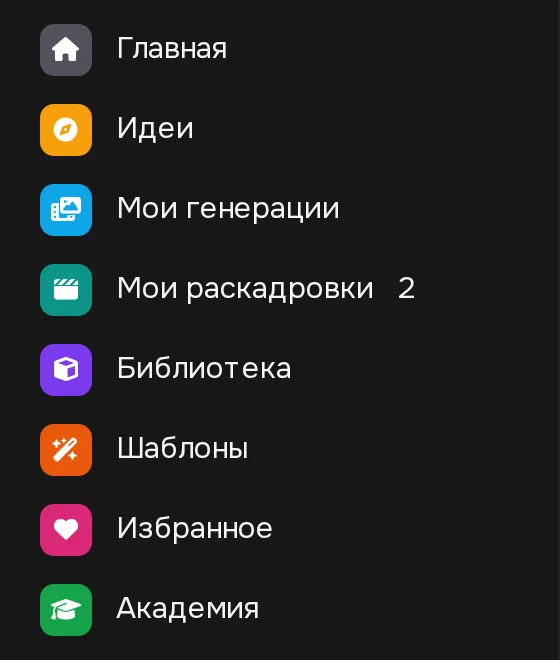
| Left: My generations | Everything you made: images and videos. “Newest first” sorting and a “Select” mode for bulk actions. |
| Left: My storyboards | Saved storyboards; the number shows how many you have. |
| Left: Library | Your personas: people, animals, locations, cities, objects, vehicles, schematics and styles. |
| Left: Templates | Ready scenes: Ready-made, Community, Mine tabs; you can save your own as a template. |
| Left: Favorites | Works you marked with a heart. |
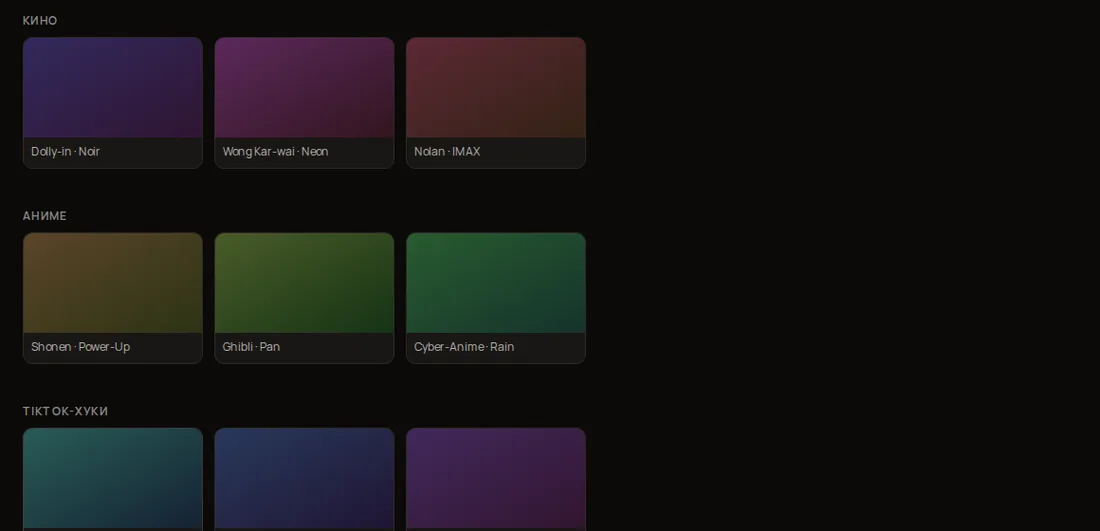
| Left: Ideas | Genre collections (“Where do we start?”): cinema, anime, TikTok hooks and more — press one and the scene fills the create bar. |
| Left: Academy | This school. |
Hover over a tab (tap on a phone): features on the left, models with descriptions on the right.
Everything needed to launch is in one row at the bottom.
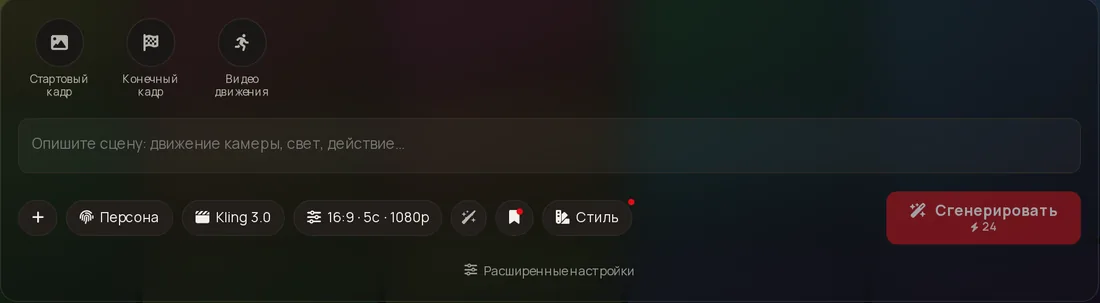
@image1, @image2.@Name.⚡ are Gibrid tokens. Rate: 1⚡ ≈ $0.025 (2.5 cents).
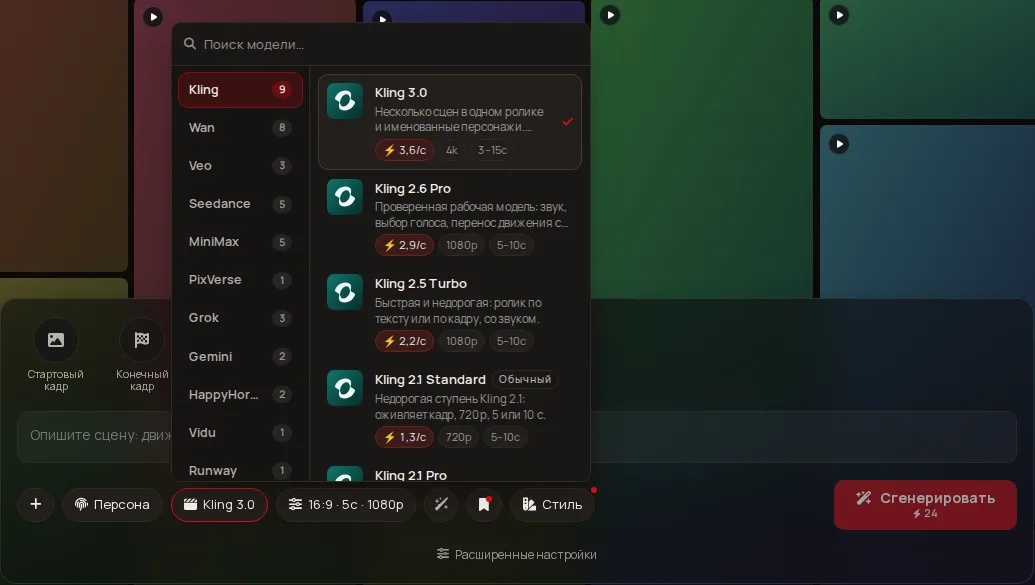
In the model list: “⚡ 3.6/s” means about 3.6⚡ per second.
Price per second × duration × resolution factor (and sound if enabled). That is what you will pay.
Your balance sits at the bottom-left next to your name. If ⚡ is short, the button offers a top-up; nothing is charged.
Everything you make lands here. Open an item to see actions: download, favorite, save the prompt, and more.
Keep heroes and places here so they look the same in every shot (details on the Personas page). Create adds an entry, Invent without photos creates a character from a description.
Topic filters (video from photos, cinema, anime, TikTok hooks, transformations, ads, trends) and search. The Mine tab keeps your templates.
Open the item in My generations and press Download. Videos and images stay on the server until you delete them.
A video price comes from the server and matches the charge. An image price comes from the site catalogue and is shown as an estimate.
